
Why We Built KuoreStore: Inventory Tracking for Small Engineering Teams
Know what you have, where it is and who has it, without turning inventory into another full-time job.
We knew we owned the equipment. We just didn't always know where it was. An RS485 adapter would turn up in someone's toolbox, a prototype had been with a client for months, and a test instrument sat in a box that nobody remembered packing.
We're a small engineering company. We develop electronics, write software, build prototypes and test equipment in the field, and over the years we have collected a lot of development boards, instruments, tools, cables and spare parts. For a long time we kept track of them with spreadsheets, photos and what we could remember. Purchase documents lived in email and shipping details in various folders. That worked until our equipment started travelling between the lab, storage, projects and clients in other countries.
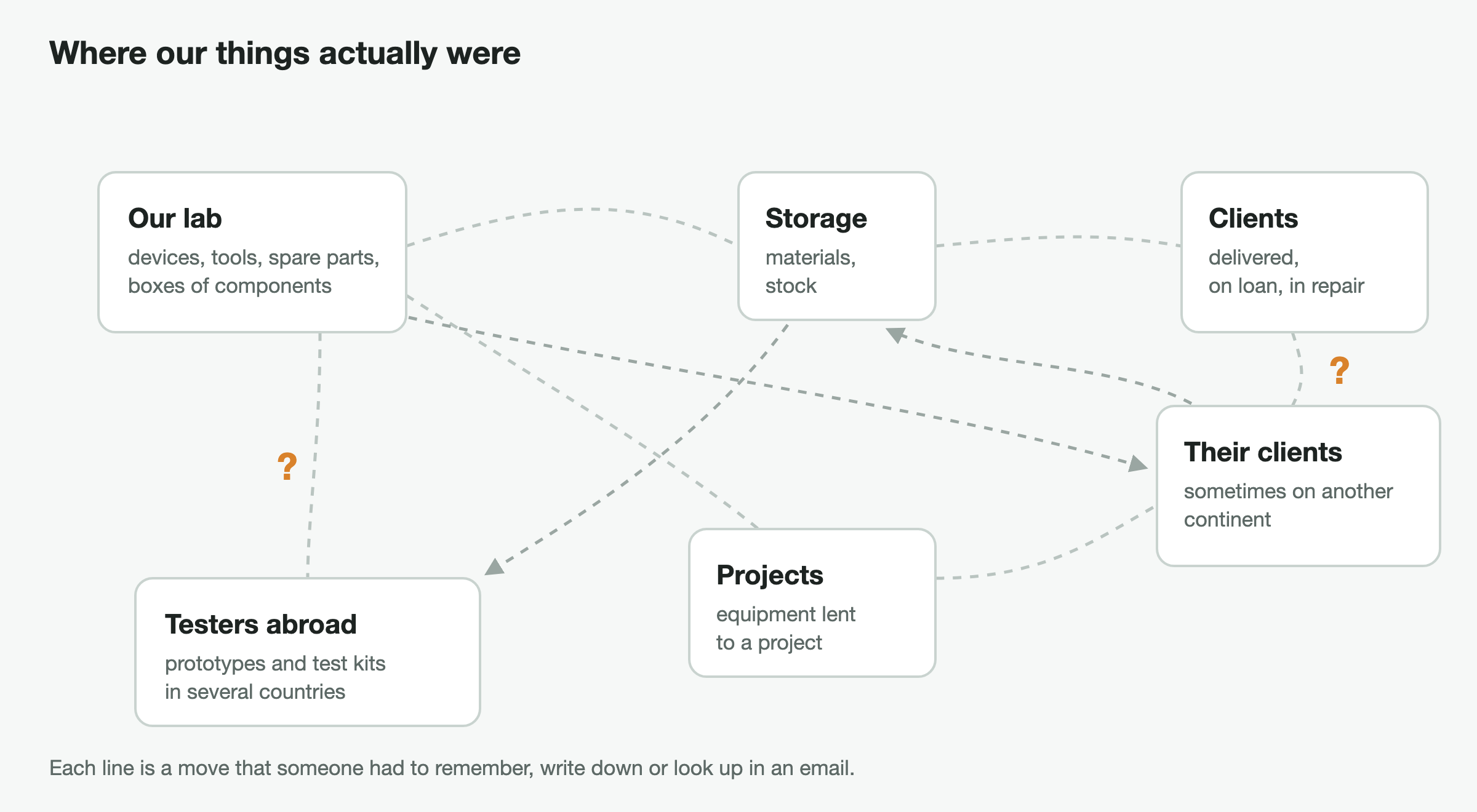
Making the first list was tedious but possible. Keeping it up to date was the real problem: every time someone moved a device, borrowed a tool or packed a shipment, the records were supposed to change, and of course not everyone remembered. Eventually we built our own system and called it KuoreStore.
Give every item an identity
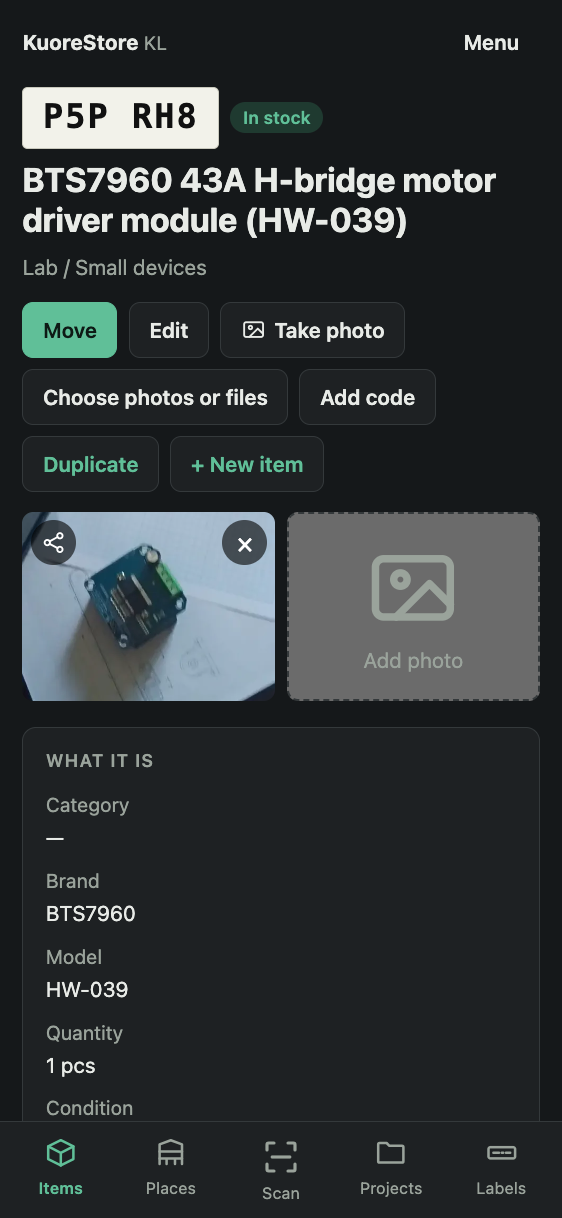
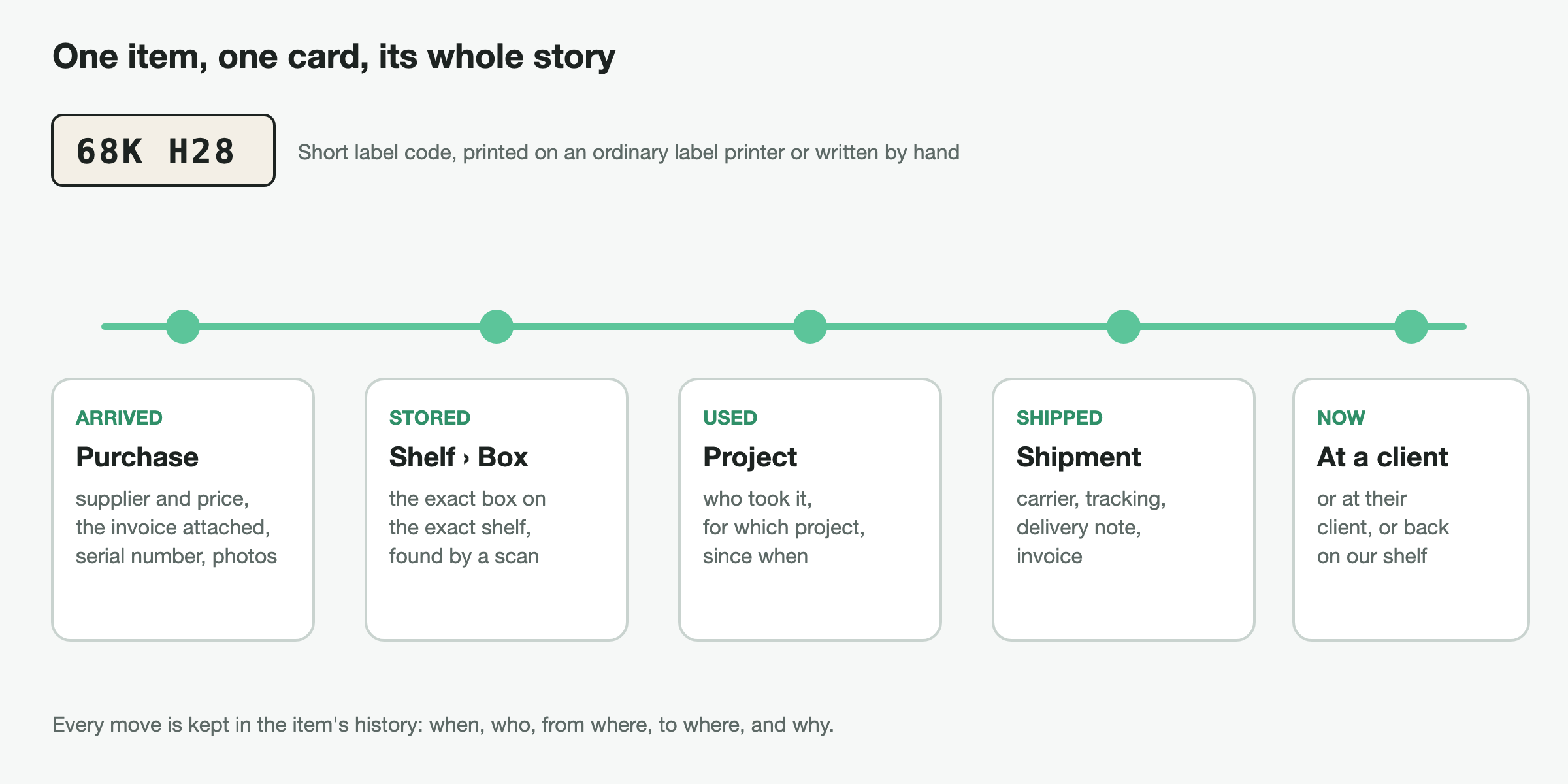
We wanted something we could use from a phone while standing at a shelf or holding an unfamiliar piece of equipment. Every item in KuoreStore has a card with its description, photos, codes, documents and the history of where it has been.
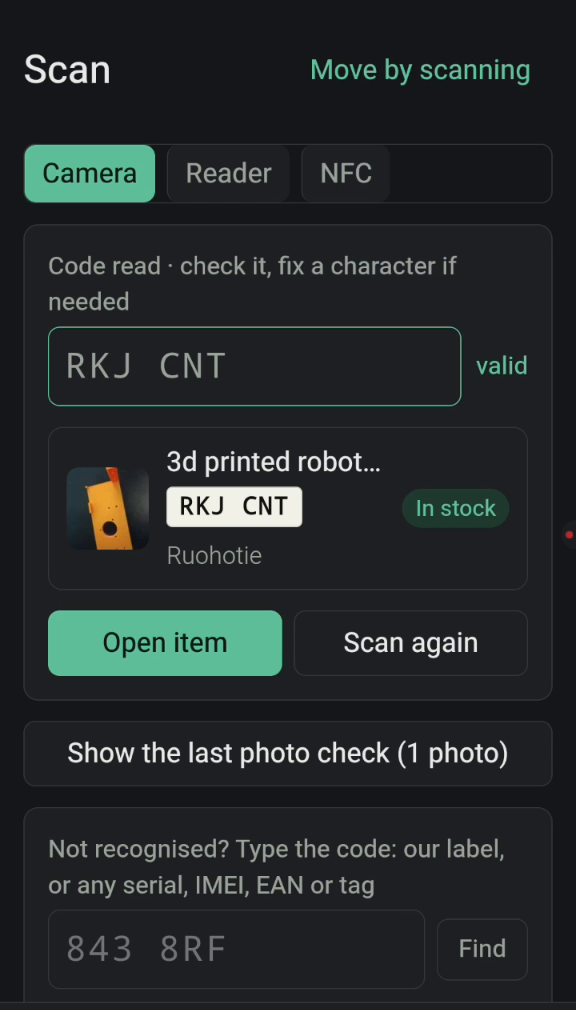
The quickest way to find an item is to scan its code. KuoreStore reads barcodes, QR codes and serial numbers, including IMEI numbers, and our own short labels such as 68K H28. Those can be printed on an ordinary label printer or written by hand with a marker. Their last character is a check character, so a code that was read wrongly is caught instead of opening the wrong item.
Barcodes and QR codes are read as soon as the camera sees them. When the phone can't make out a code, for example a label written by hand, image recognition reads it from the picture, and you can correct a character before opening the item. We designed the scan screen for one hand, because the other one is usually holding the thing you are scanning.
The card collects everything else about the item: photos, purchase documents, serial numbers, brand and model, owner and project. When a new owner, status or place is needed, you create it in the item form itself rather than going to another page first.
Keep track of boxes and kits
A lab isn't a neat list of separate objects. We have shelves, boxes, cases and kits, boxes inside other boxes, and devices that travel with their power supply, cables and adapters.
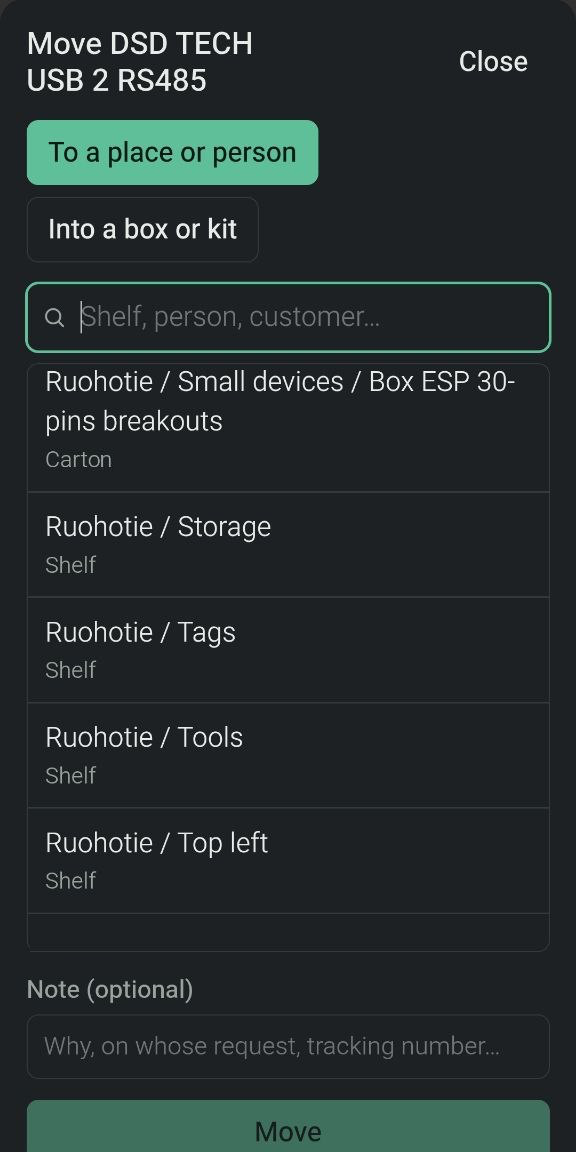
KuoreStore follows the same structure. A device can be in a box, the box on a shelf and the shelf at a site. When the box moves, its contents move with it in the inventory, and accessories linked to a device can go along automatically. Each move is recorded with who made it, when and where to, so packing a kit doesn't mean updating a dozen records by hand.
Follow equipment wherever it goes
A good part of our work means sending devices and prototypes to clients and testers abroad, so we wanted to know not only where something was stored but who has it now and how it got there. KuoreStore keeps that history on the item card, from purchase through storage, projects, shipments and returns.
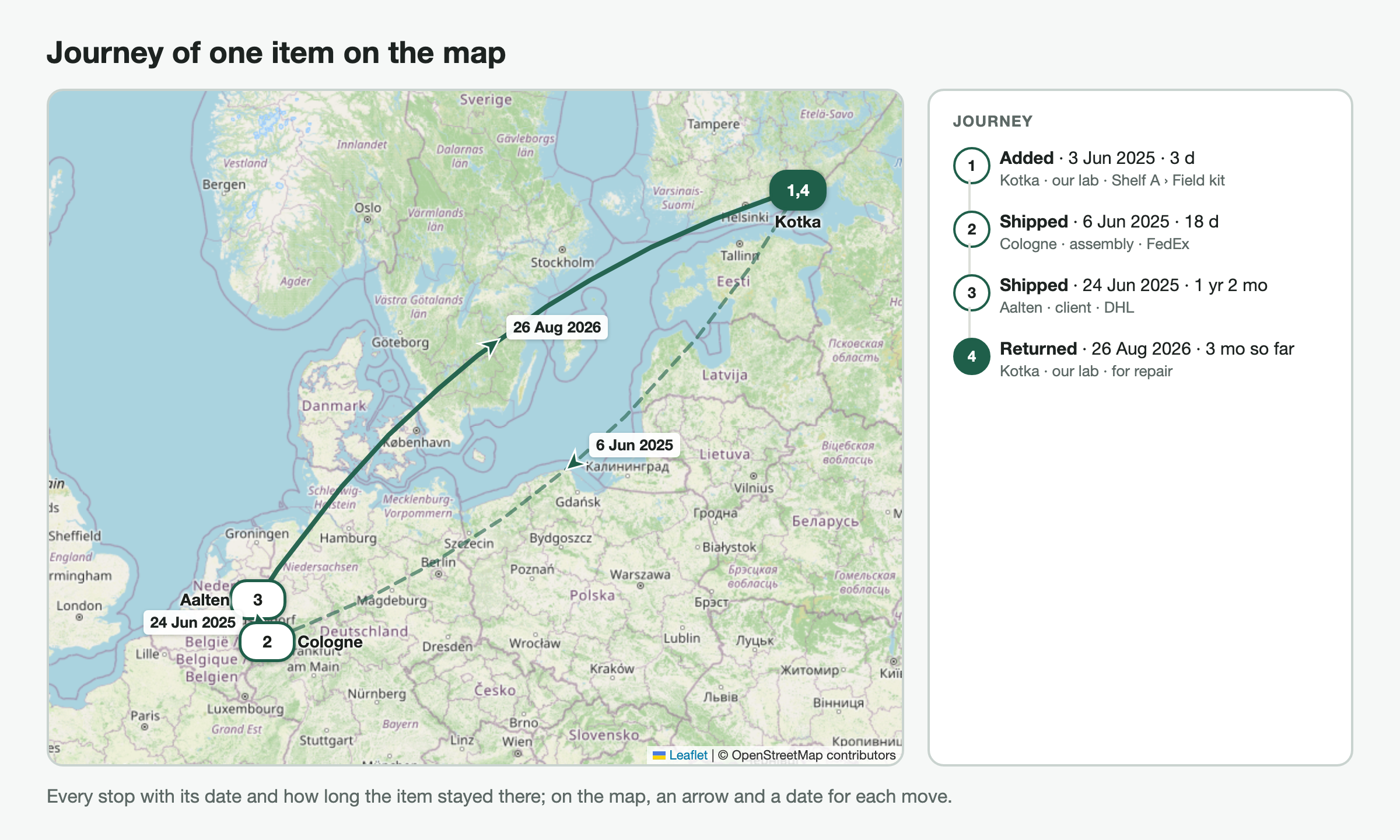
A shipment records the recipient, carrier, tracking number and documents, and the tracking status can update by itself. If the receiving company also uses KuoreStore, the item can be handed over to their workspace together with its photos, codes and history, so one device can be followed through several organisations without starting a new record each time.
Bringing in the old records
Before we could use the system ourselves, we had years of spreadsheets and invoices to deal with. KuoreStore can import existing spreadsheets and documents: KuoreStore reads them and proposes how to turn them into items, places, projects and purchases, and a person reviews the proposal before anything is saved.
Because shipments already say what went where, in what quantity and at what shipping cost, we are also connecting KuoreStore to Procountor, so that a shipment can become a draft sales invoice there. No invoice is sent without someone reviewing and approving it. Purchases and shipping costs for a client can also be collected into a monthly expense report.
What we learned
The most useful part turned out to be the movement history. Knowing that an adapter exists is helpful, knowing which box on which shelf it is in is better, and knowing that someone took it to a project six months ago is better still.
We also learned that an inventory only stays correct if updating it takes less effort than skipping it. If recording a move means opening a laptop and editing several cells, sooner or later someone won't bother. Scanning a label and choosing where the item went takes a few seconds.
KuoreStore started as our internal tool. We have since opened it to other small engineering teams, workshops, labs and businesses that need to keep track of equipment without setting up a full warehouse-management system.
Try KuoreStore
Start with what you already have: label a few tools or a box and scan the first item. KuoreStore is free for up to 300 items and two users, and no credit card is needed. It works in a browser, on Android and on iPhone, keeps its data in the European Union, and its interface is in English, Finnish, German, Ukrainian, French, Russian and Spanish.
You can start at kuorestore.fi.
If your workshop needs an integration or a way of working that KuoreStore doesn't have yet, tell us at info@kuorelab.fi.